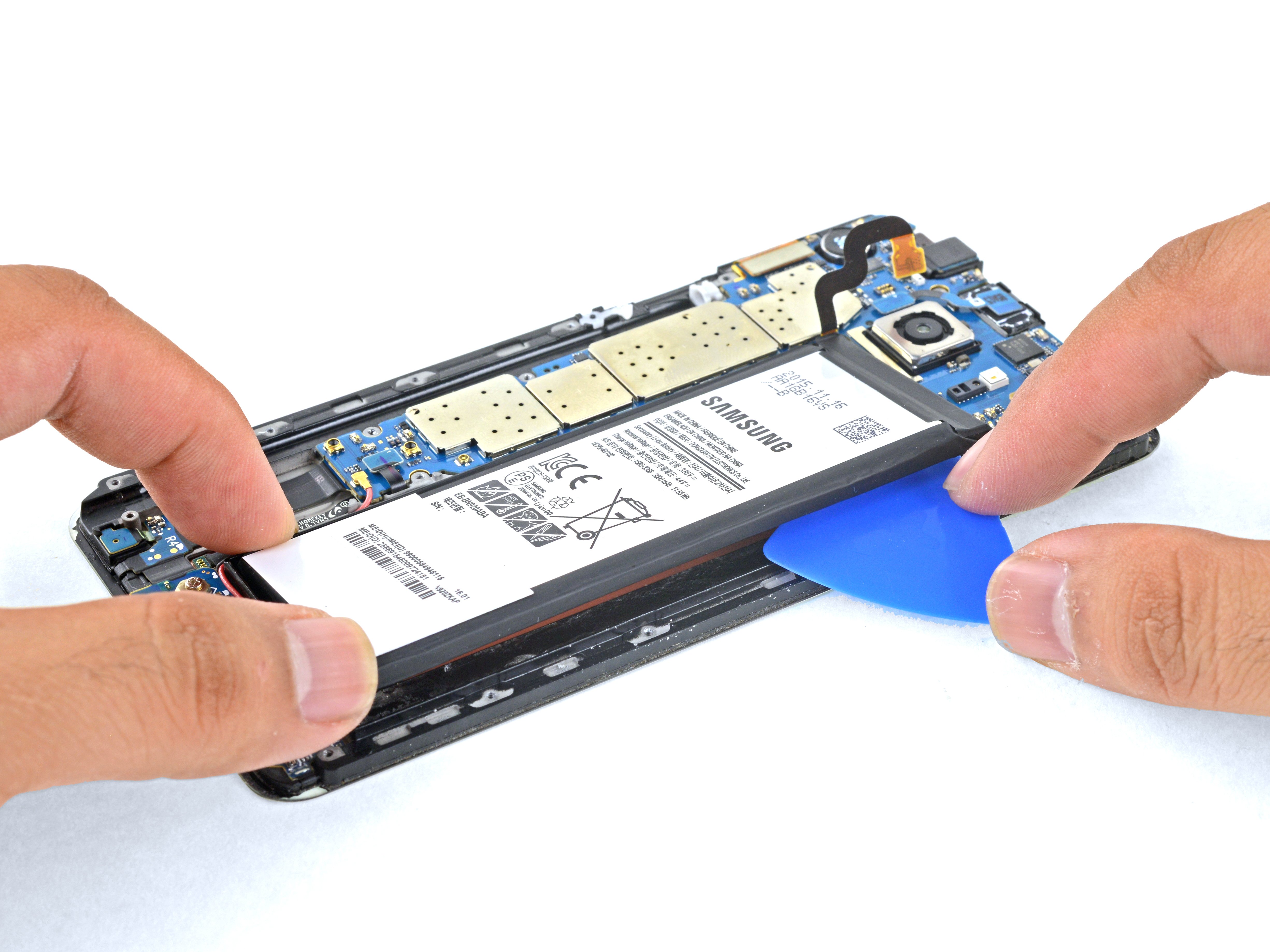
Phone Battery Replacement Guide 2026: DIY iPhone & Android Tutorial
Written by Micky Gladden
Founder of Technitis • March 2026
When my daily driver phone started dying halfway through the day, I realized the battery was shot. Instead of buying a new device, I learned to swap it myself and it changed everything for me.
Most people think battery replacement is too technical or risky, but with the right tools and care, anyone can do it safely.
This guide shares exactly what I wish I knew starting out: tools, safety steps, how to replace batteries on iPhone and Android models, common pitfalls to avoid, and tips for flipping phones profitably. Start with a cheap practice phone, and you'll save money while building a valuable skill.
Why Replace Your Phone Battery in 2026?
Modern phone batteries degrade noticeably after 500 to 800 cycles, often dropping below 80% health within 18 months. A simple DIY replacement restores full runtime, boosts performance, and dramatically increases resale value when flipping phones.
- Bring back all-day battery life that buyers love in listings.
- Turn low-health bargain phones into high-profit flips.
- Cut down on electronic waste with eco-friendly repairs.
- Build confidence to tackle bigger repairs like screens later.
Essential Tools for Phone Battery Replacement
You can start with a budget kit under $100 that handles both iPhone and Android models reliably.
-
Precision screwdriver set (Pentalobe for iPhone, Phillips and Tri-wing for Android).
Recommended: KELIN 156 in 1 Electric Precision Kit -
Heat gun or iOpener to safely loosen adhesive.
Mini Dual Temp Heat Gun -
Suction cup and plastic opening picks.
Suction Cup Opening Tool Kit -
Adhesive strips (Tesa tape) for resealing.
iFixit Tesa 61395 Tape -
Replacement battery (model-specific, premium or budget).
Premium: iFixit Kit
Budget: Jorest Kit -
Headlamp with magnifier or tweezers.
Rechargeable Headlamp Magnifier
These tools pay for themselves after just a few repairs or flips.
Important Safety Rules
- Work in a well-ventilated, non-flammable area away from kids and pets.
- Never puncture, bend, or overheat the battery.
- Discharge the phone to under 30% before starting.
- Wear safety glasses and keep a fire extinguisher (Class D) nearby.
- If the old battery is swollen or leaking, stop and seek professional help.
Common Mistakes to Avoid
- Rushing the job. Take your time to avoid tearing cables or cracking glass.
- Using metal tools on adhesive. Stick to plastic picks to prevent shorts or punctures.
- Forgetting to disconnect the battery connector first. Always do this before prying.
- Installing without new adhesive. Old glue fails and lets dust or moisture in.
Quick FAQ: Phone Battery Replacement
Ready to Revive Your Phone?
Battery swaps are one of the easiest, highest-ROI repairs out there. Grab your tools, start small, and watch your skills and profits grow. Knowledge like this makes flipping phones way more fun and rewarding.
Browse Phones & ToolsAffiliate Disclosure: Some links on this page may be affiliate links. This means Technitis may earn a small commission if you purchase through them, at no additional cost to you.
Technitis may collect anonymous analytics such as views or interactions to improve content and prevent spam.